Location Engine API Resolution
Our Location engine offers two modes of resolution, LoRaWAN and WIFI.
To use our location engine services you must first create an account at https://app.trackpac.io.
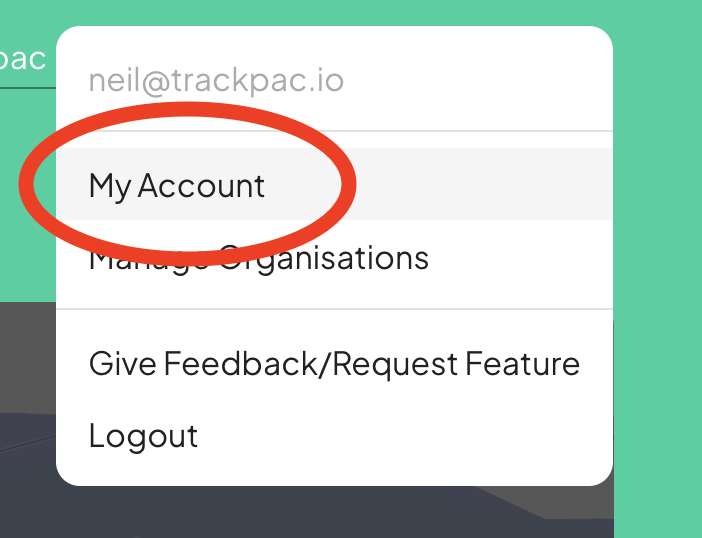
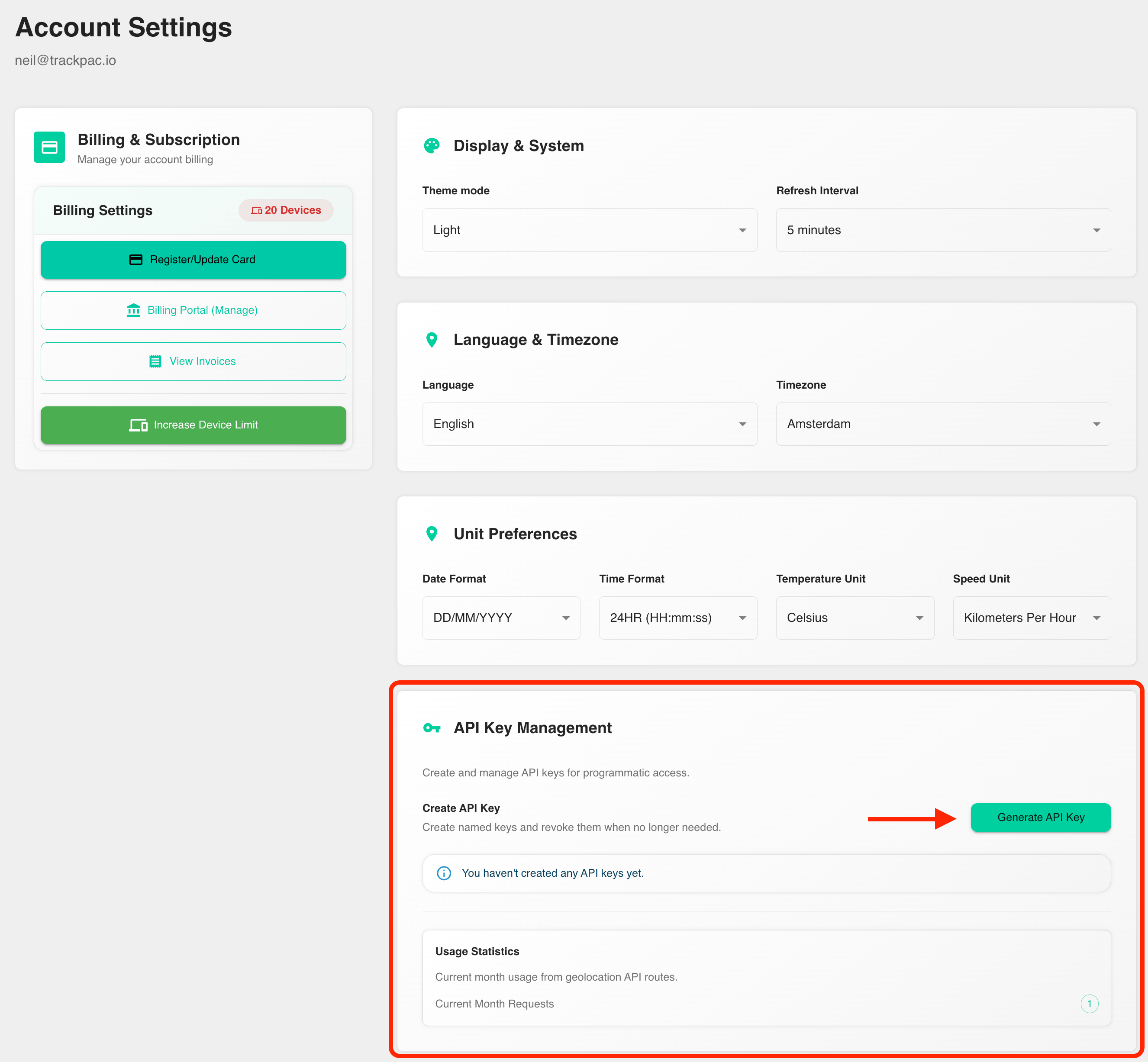
After signing in, open your account page at https://app.trackpac.io/account and generate an API key.

NOTE: You must have billing enabled, and a card registered to generate an API key.
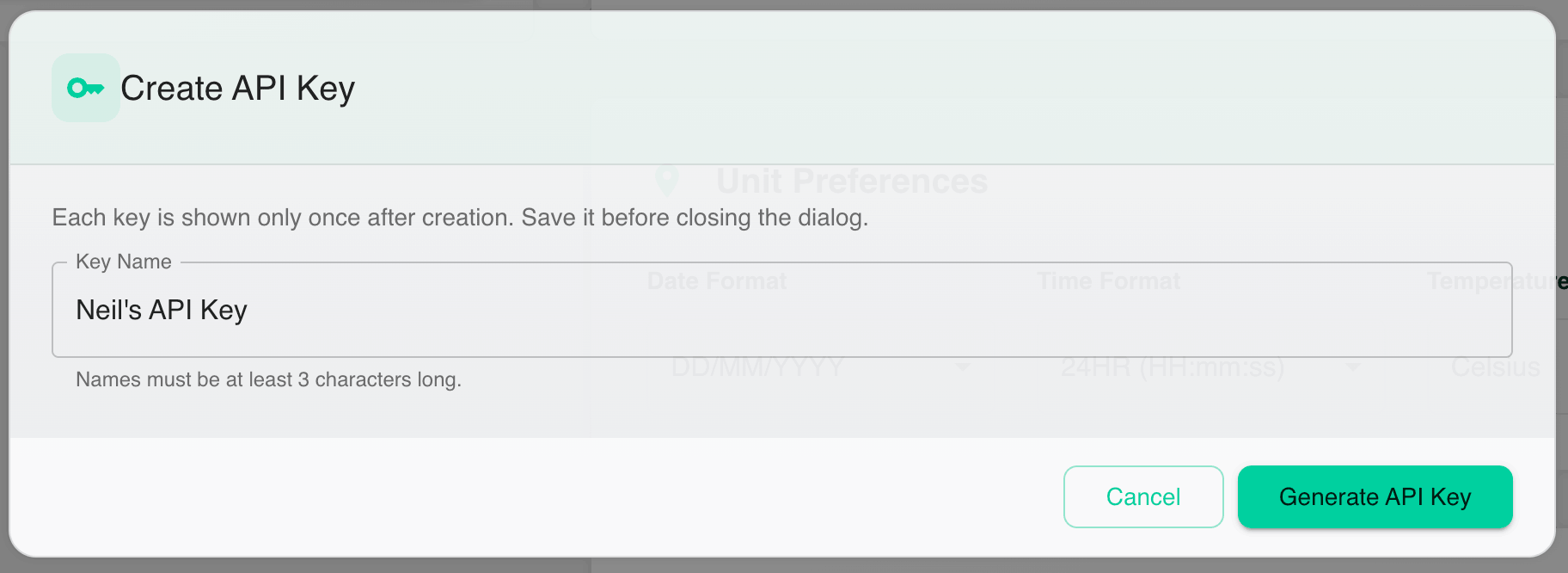
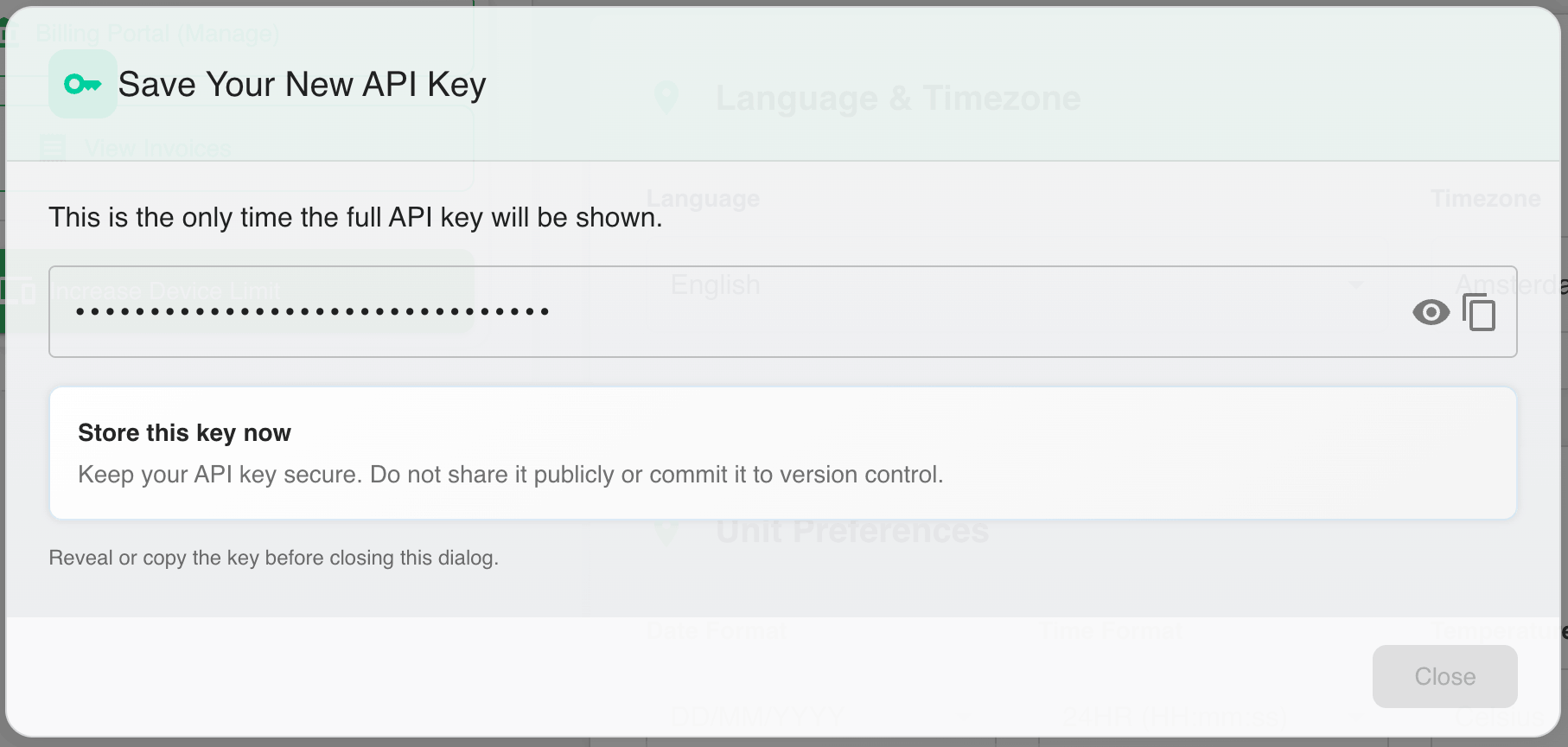
Give the key a friendly name of at least 3 characters, copy it when shown, and store it securely. API keys are only shown once and can be revoked later from the same account page.
POSTMAN COLLECTION Add your API key to the X-API-Key header and replace the request body on your chosen location lookup route.
LoRaWAN Location Lookup
For our location engine to resolve a location it needs a list of hotspots that heard the uplink, location of the hotspot and what signal strength it heard the uplink at.
Note: any hotspots with blank locations will be filtered.
A typical payload looks like:
{
    "hotspots": [
        {
            "lat": 52.23153880933455,
            "long": -1.7309963563346425,
            "rssi": -113.0,
        },
        {
            "lat": 52.23153880933455,
            "long": -1.7309963563346425,
            "rssi": -113.0,
        },
        {
            "lat": 52.23153880933455,
            "long": -1.7309963563346425,
            "rssi": -113.0,
        },
    ]
}
Users can then post a lookup to:
curl --request POST \
  --url https://api.trackpac.io/location-engine/resolve \
  --header 'Content-Type: application/json' \
  --header 'X-API-Key: YOUR_API_KEY' \
  --data '{
    "hotspots": [
      {
        "lat": 52.23153880933455,
        "long": -1.7309963563346425,
        "rssi": -113.0
      }
    ]
  }'
Example Result
{
    latitude: 0.0000
    longitude: 0.0000
    geocode: "xyz street, xyz location",
}
Wifi Location Lookup
If your device supports sniffing WIFI , you can use our services to resolve location.
Example Payload
{
    "networks": [
        {
            "bssid": "FF:FF:FF:FF:FF:FF",
            "rssi": -90
        },
        {
            "bssid": "FF:FF:FF:FF:FF:FA",
            "rssi": -92
        }
    ]
}
Users can then post a lookup to:
curl --request POST \
  --url https://api.trackpac.io/location-engine/resolve/wifi \
  --header 'Content-Type: application/json' \
  --header 'X-API-Key: YOUR_API_KEY' \
  --data '{
    "networks": [
      {
        "bssid": "FF:FF:FF:FF:FF:FF",
        "rssi": -90
      },
      {
        "bssid": "FF:FF:FF:FF:FF:FA",
        "rssi": -92
      }
    ]
  }'
Example Result
{
    latitude: 0.0000
    longitude: 0.0000
    geocode: "xyz street, xyz location",
}